
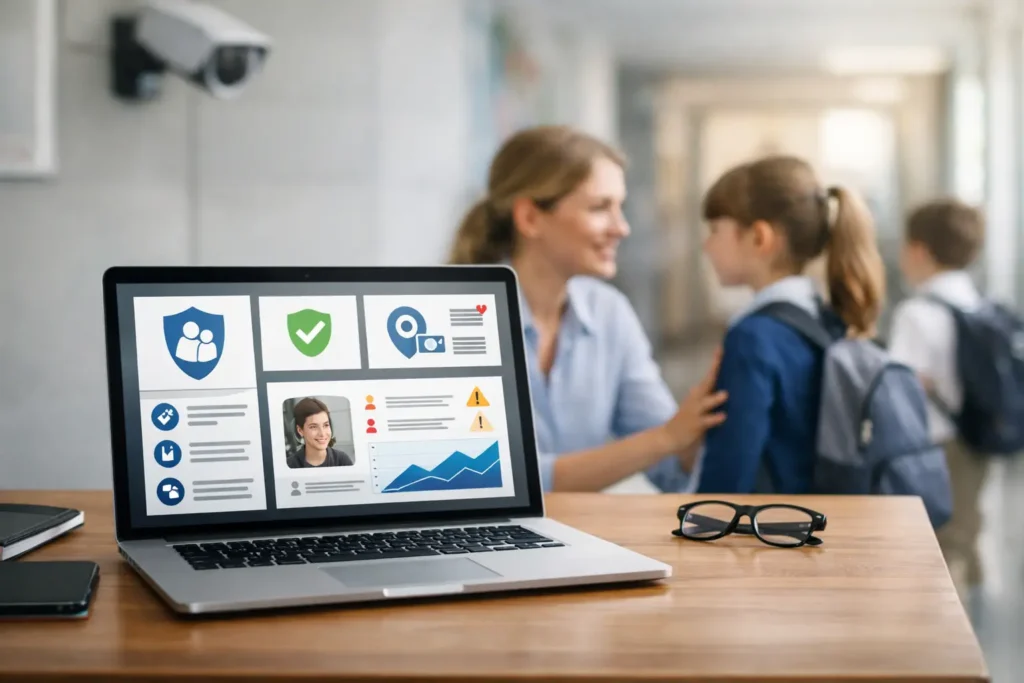
When a safeguarding concern is raised in school, nobody wants to waste time chasing emails, checking spreadsheets or trying to work out who saw what and when. That is why the school safeguarding software that schools choose, needs to do more than store records. It needs to support fast action, clear accountability and safer outcomes for pupils.
For headteachers, DSLs, school business managers and trust leaders, the challenge is rarely whether digital safeguarding tools are useful. It is choosing a system that genuinely helps staff do the right thing under pressure, without adding complexity or creating gaps in oversight. The best platforms make safeguarding simpler, more consistent and easier to manage across day-to-day school life.
What school safeguarding software UK schools actually need
At its core, safeguarding software should give schools one secure place to record concerns, manage actions and maintain a clear chronology. That sounds straightforward, but the detail matters. A platform may look impressive in a demo and still prove awkward in practice if staff avoid using it, if reporting is too limited, or if access controls are not carefully designed.
In a UK school setting, the software also needs to fit the real safeguarding environment. That means aligning with KCSiE expectations, supporting role-based permissions, and helping schools manage everything from low-level concerns to urgent child protection matters. A good system should work for classroom staff who need to log something quickly, and for senior leaders who need oversight across patterns, cases and compliance.
This is where many buying decisions go wrong. Schools sometimes focus on feature volume rather than daily usability. More tools do not always mean better safeguarding. If the system is hard to learn, too rigid, or poorly supported, staff will work around it - and that is where risk creeps in.
The features that matter most
The strongest school safeguarding software UK providers offer tends to get the basics right first. Secure incident logging, chronology tracking, alerts, action management and clear reporting are non-negotiable. Staff should be able to record a concern in plain language, attach relevant evidence where appropriate, and route it to the right safeguarding lead without delay.
Chronologies are especially important. Safeguarding rarely hinges on a single incident in isolation. Patterns emerge over time, often across multiple staff members and touchpoints. Software should make those patterns easier to spot, not harder. If a DSL has to piece together a pupil history manually from disconnected records, the system is not doing its job.
Reporting also deserves close attention. Some schools need straightforward case summaries for internal review. Others, especially larger settings and multi-academy trusts, may need trend analysis across sites, categories or time periods. The right level of reporting depends on your structure, but every school needs confidence that records can be retrieved quickly, clearly and securely.
Then there is access control. Safeguarding information should be shared on a need-to-know basis. That means permissions must be flexible enough to reflect roles without becoming difficult to manage. If everybody can see too much, confidentiality is weakened. If key people cannot access what they need, response times suffer.
Ease of use is a safeguarding issue, not a nice-to-have
It is tempting to separate software usability from safeguarding quality, but in schools the two are closely linked. Staff are busy. They are balancing teaching, behaviour, pastoral care, administration and communication with families. If logging a concern takes too long or feels confusing, reports may be delayed, shortened or missed altogether.
That is why interface design matters. Staff should not need extensive technical knowledge to use the system properly. Recording a concern should feel straightforward, with prompts that support consistency without forcing people into awkward categories. Training should be simple enough for new starters to pick up quickly and for supply or temporary staff to understand where relevant.
A practical test is to ask how the platform performs on an ordinary Tuesday afternoon, not just in a polished demonstration. Can a teacher submit a concern in under two minutes? Can a DSL review open actions at a glance? Can the system support continuity if a safeguarding lead is absent? Those everyday questions often tell you more than a long list of features.
Compliance, data security and audit trails
Safeguarding software holds some of the most sensitive information in a school. For that reason, data security cannot be treated as a technical afterthought. Schools should understand where data is stored, how it is protected, how access is controlled and what audit trail is available.
A proper audit trail matters for both safeguarding and accountability. You need to know when a concern was logged, who viewed it, what action was taken and whether follow-up was completed. In serious cases, that level of visibility is essential. It supports internal review, external scrutiny and confidence that procedures were followed as intended.
Data retention and transfer are also worth discussing before you commit. Schools regularly need to move records when pupils transfer, archive older cases appropriately or support trust-level oversight. Some systems handle this smoothly. Others make it awkward, manual or dependent on additional support. That can create delay at the wrong moment.
For many schools, this is also where having an experienced IT partner helps. Safeguarding software does not sit in isolation. It exists within your wider IT estate, alongside filtering, monitoring, identity management, device security and staff access policies. If those pieces are disconnected, safeguarding becomes harder to manage well.
Why integration matters more than many schools expect
Safeguarding is not only about recording concerns after something has happened. It is also about spotting risk early and creating joined-up visibility across systems. In practice, that means your safeguarding software should fit sensibly with the wider tools and processes your school already uses.
For example, online safety monitoring, filtering alerts, single sign-on and secure device management can all influence how well a safeguarding platform works in real life. If staff need multiple logins, if alerts are fragmented, or if systems do not support each other, important context can be lost. On the other hand, when your safeguarding setup is planned properly, information flows more clearly and staff can respond with greater confidence.
This does not mean every school needs a highly complex integrated environment. A small primary school and a large trust will have different needs. The point is that software selection should be part of a wider safeguarding and IT conversation, not a standalone purchase made in isolation.
Questions to ask before you choose school safeguarding software UK suppliers offer
The most useful procurement conversations are usually the simplest ones. Ask how the system helps staff record concerns quickly and consistently. Ask what reporting senior leaders can access without needing specialist support. Ask how the provider handles onboarding, training and ongoing help if your DSL team changes.
It is also sensible to ask what happens when things go wrong. If a user cannot access the system, if records need urgent exporting, or if you need guidance during a critical incident, what support is available and how quickly? Schools do not need a supplier that disappears after implementation. They need dependable support and clear accountability.
Cost should be considered in that same practical light. The cheapest option can become expensive if adoption is poor, support is limited or extra administration falls back on internal staff. Equally, the most expensive platform is not automatically the best fit. Value comes from reliability, clarity and how well the software supports your actual safeguarding workflow.
A measured approach works best
There is no single best answer for every school. A one-form-entry primary school may value simplicity above all else. A multi-site trust may need stronger oversight, standardisation and reporting across multiple safeguarding teams. What matters is matching the software to your safeguarding responsibilities, staffing model and operational reality.
That is why a measured approach tends to work best. Start with the pressures your team faces now. Look at where delays happen, where visibility is weak and where manual work creates risk. Then assess software against those needs, rather than against marketing claims. If a provider can explain clearly how their system makes safeguarding simpler, more secure and less dependent on workarounds, you are usually asking the right questions.
For schools that want technology to feel simple, secure and stress-free, this is rarely just about buying a platform. It is about building a dependable safeguarding environment around it. That is where experienced education IT support can make a real difference, particularly when safeguarding software needs to sit alongside filtering, monitoring and wider cyber security controls. Blue Box IT often supports schools in exactly that joined-up way.
The right software will never replace professional judgement, strong culture or trained staff. What it can do is remove friction at the moments that matter, giving your team the confidence to record concerns properly, act promptly and keep children safer with less avoidable admin in the way.